ERP for NDT and Inspection Companies — Certifications, Calibration, Dispatch and Reports in One System
Atlantis ERP is NDT ERP software that runs an inspection company on one system: technician certifications, equipment calibration, crew dispatch, method-specific NDT reports, quotes and invoicing, with every other business app you need alongside. It is set up and supported by Atlantis NDT, an ASNT Level III-led company, so it is configured around how inspection work is controlled and audited. Fully customizable, and shown running on your own workflow before you commit.
Book a guided walkthrough · See USA and Canada plans. A guided walkthrough or a 14-day free trial is available. Trial access and setup are agreed before you start. Request a 14-day free trial
What you get with Atlantis ERP
The points a buyer should be able to check before choosing any inspection ERP, and how Atlantis answers each one.
Modules: connected apps on one database
One database runs the whole job: CRM and quotations, projects and crew dispatch, NDT reports, certificates, procedures, equipment and calibration, timesheets and expenses, purchasing and inventory, employees, payroll and time off, eLearning and dashboards. Every app is configured for NDT work, so a technician's certificate, an instrument's calibration and a job's timesheet are never typed in twice.
Reporting: method-specific NDT reports, signed and sent
Technicians fill in UT, RT, MT, PT, VT, PAUT, TOFD and other method reports in an offline field app, add photos and sign on screen. Each report moves from draft to review, approval and sent, with inspector, reviewer and approver signatures on your own versioned templates, and clients see their reports in the client portal. Approved reports can also be placed on a 3D model of the asset with Digital Twin Reporting.
NDT Reports app · Digital Twin Reporting
Certification tracking: nobody goes to site out of date
Certification management starts with one register: every technician certificate is recorded by scheme, level and method, and its status is worked out automatically: active, expiring soon or expired. Certificate and vision-test expiries raise warning tasks well before they lapse, timesheets warn when a certificate is not valid, and planners cannot double-book a technician or an instrument serial number. Instruments are tracked by serial number with calibration records, due dates and expiry alerts, and planners are warned when assigned equipment is out of calibration.
Certificates app · Asset Management app
Deployment: your hosting, your data, a phased rollout
It runs as a cloud service, or on your own infrastructure where data-residency rules require it, and the hosting location is agreed before go-live. Rollout starts where the pain is sharpest, usually certifications, calibration or reporting, and your certification records, equipment registry and client list are migrated as part of onboarding. Access rights, backups and retention are written into the rollout plan, your records stay exportable, and an open REST API supports connections to external systems, scoped and tested for your implementation.
Support: set up by people who run inspection programmes
Atlantis NDT configures, implements and supports the system itself, with dedicated implementation, staff training through the eLearning app, workflow customization and custom apps built on request. Because the company is led by an ASNT NDT Level III, procedures, certifications and report approvals are set up the way an auditor will read them.
One job, start to finish
A sample inspection job as it moves through the ERP, from the request to the invoice.
Job request
An enquiry becomes a CRM opportunity and a quotation with job type, site, dates and applicable codes. Once the client accepts it online, it converts to a sales order and the job runs as a project. (Quotations app)
Crew assignment with a certificate check
The job is dispatched to technicians who are available; double-booking of people and instrument serial numbers is blocked, and the planner is warned if assigned equipment is out of calibration. Timesheets warn if a technician's certificate is not valid. (Team Assignments app)
Field report
The technician fills in a method-specific report in the offline field app, adds photos and signs on screen. It syncs when there is signal. (NDT Reports app)
Review and approval
The report moves from draft to review to approved to sent, with reviewer and approver signatures, and is issued as a PDF on your company template. (NDT Reports app)
Invoice
Billable timesheet hours, equipment and consumables flow onto the invoice with method, technician and equipment serial on each line. (Invoicing app)
Inside Atlantis ERP: real screens
These are screenshots of the system as it runs today, not mock-ups. Client and project details are blurred.
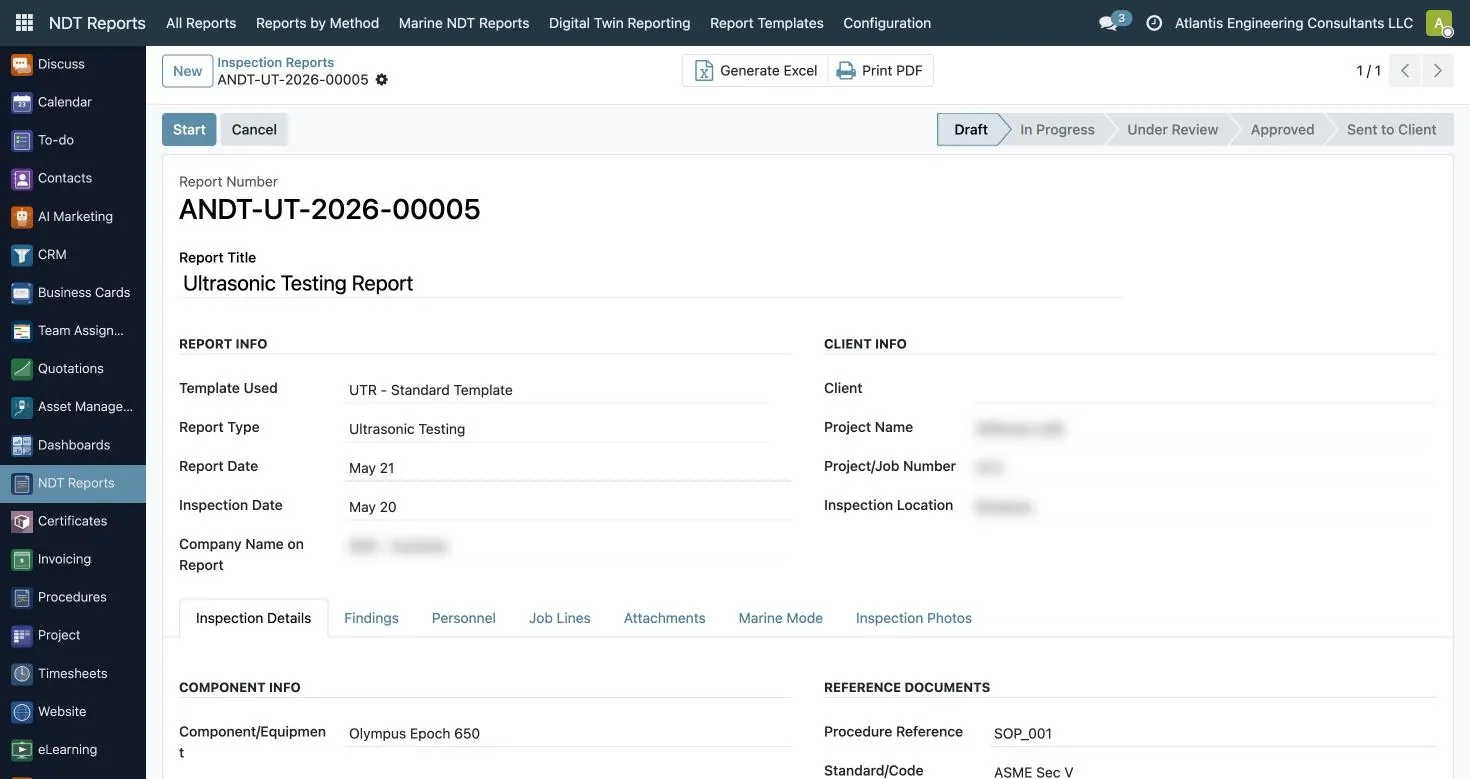
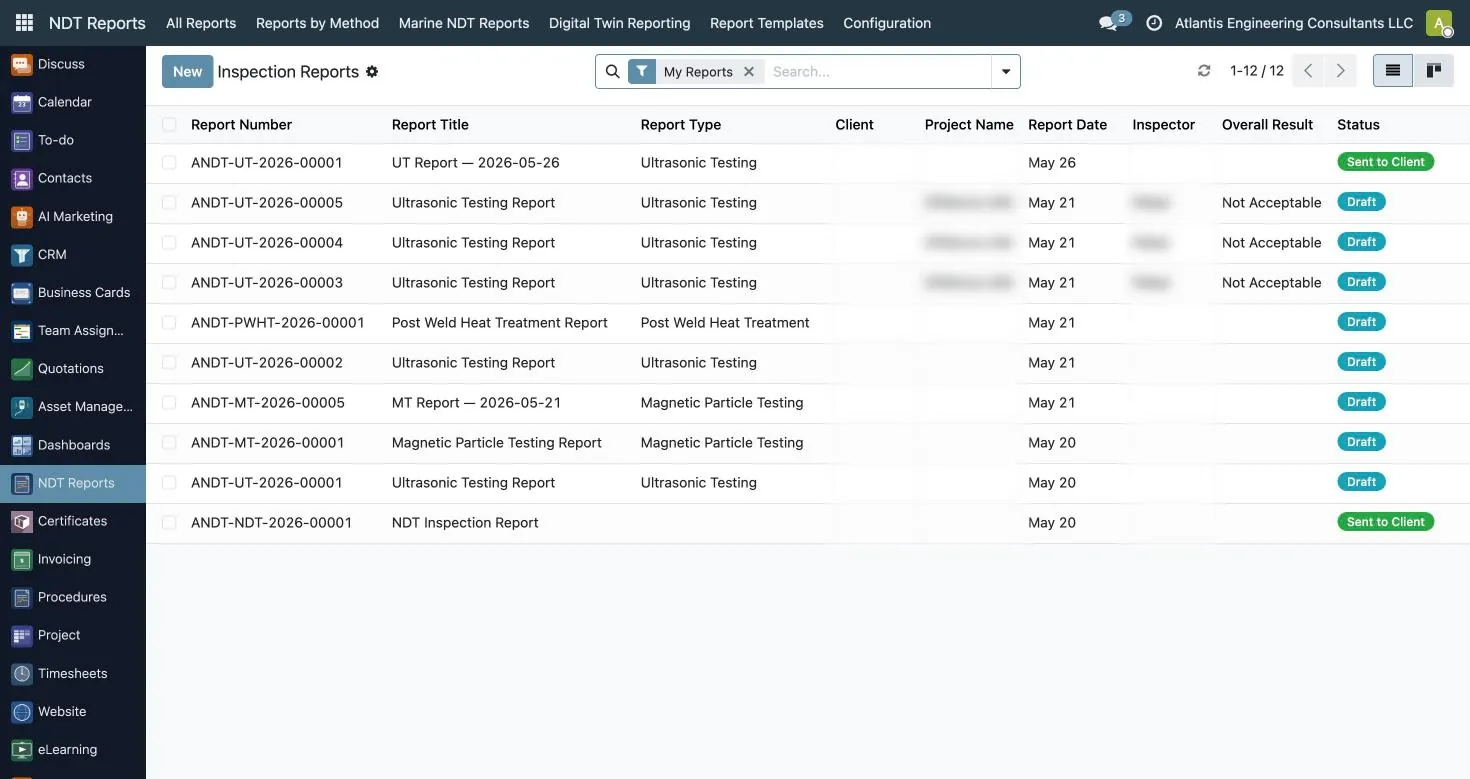
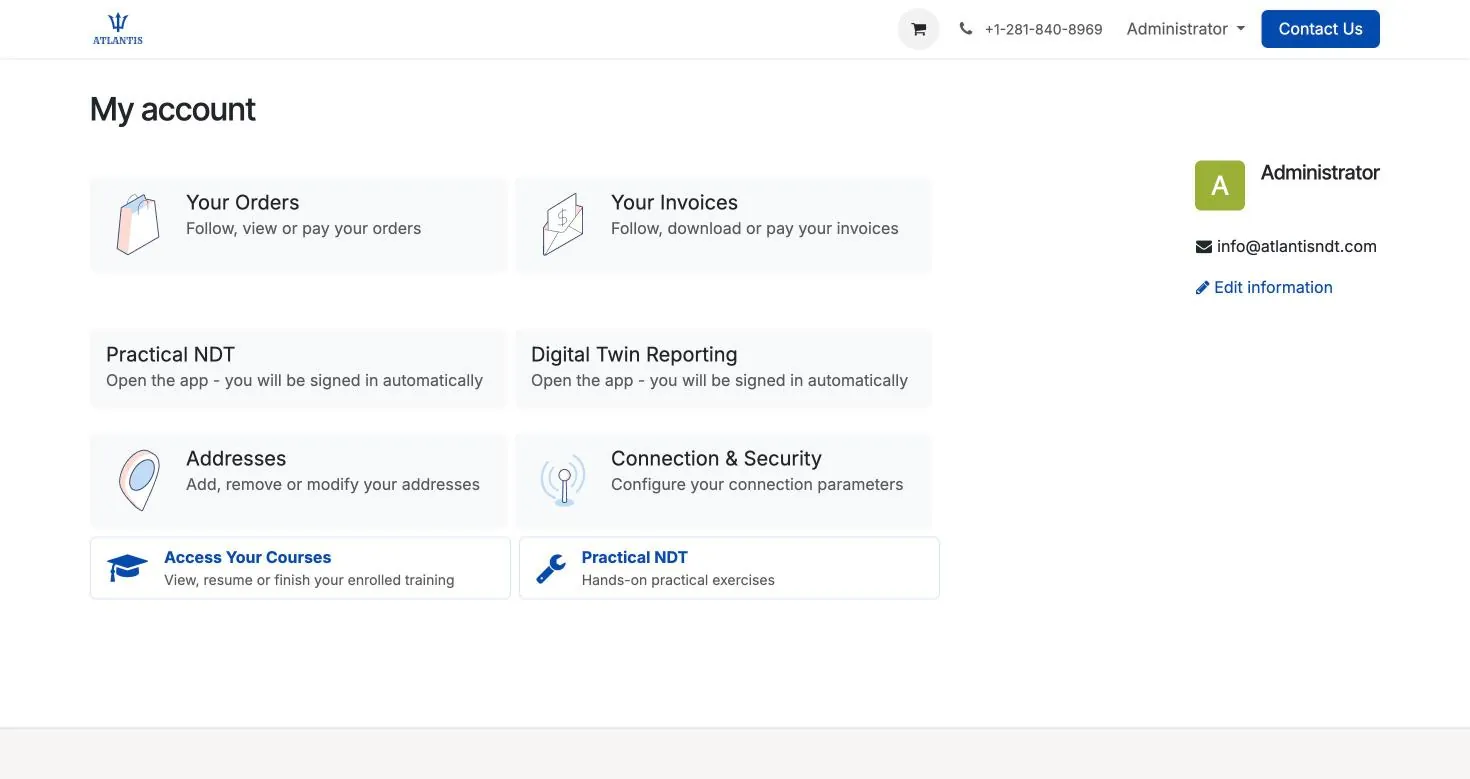
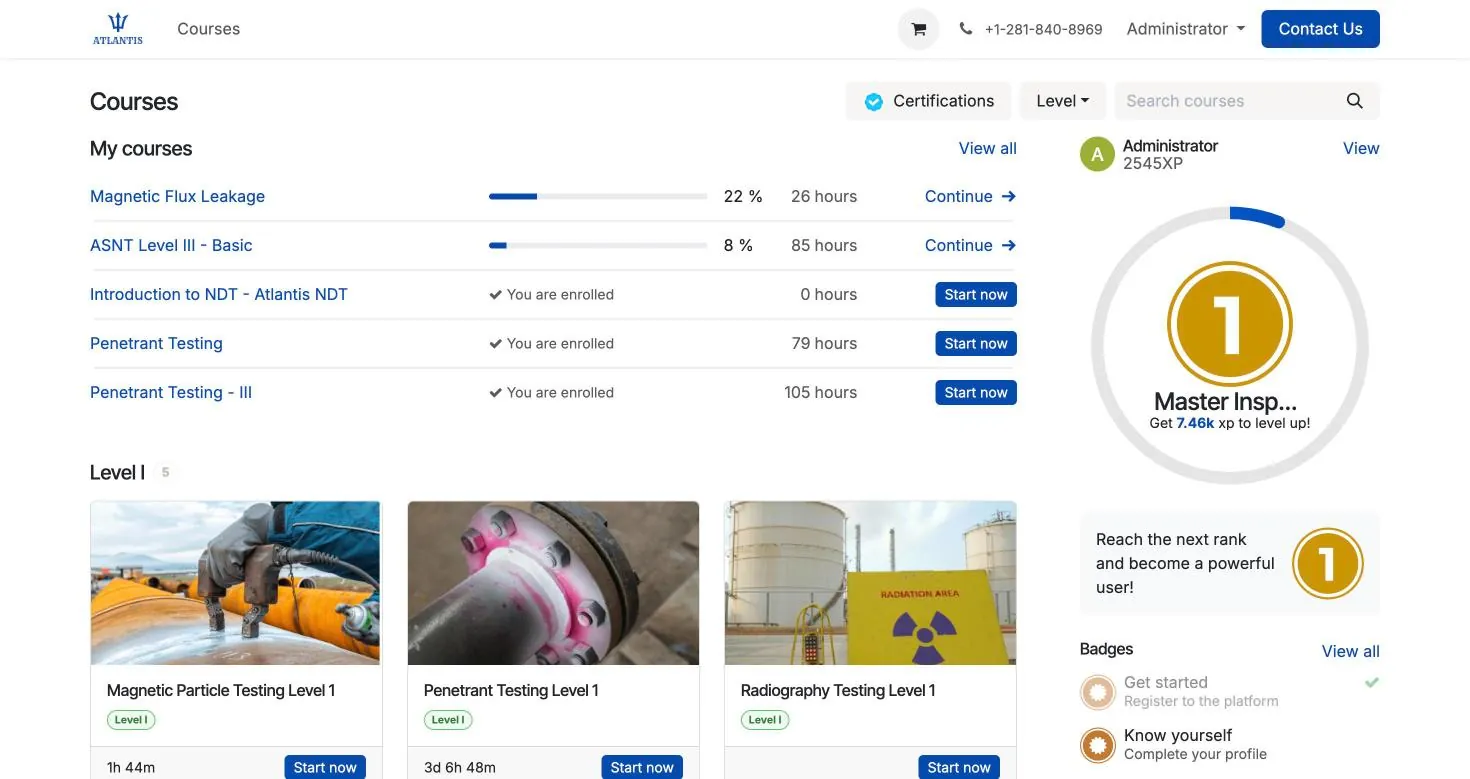
A short tour of Atlantis NDT

A short tour of Atlantis NDT: the ERP workflow configurator, a sample digital twin inspection report, the browser-based ultrasonic A-scan demo, NDT training pathways, Level III consulting and the inspection quotation form. Digital twin data shown is labelled sample data.
From the field: what an NDT documentation audit traces
Level III audit: An independent Level III audit of NDT documentation for a Qatar-based client, completed without a site visit and for a fixed fee agreed up front.
That engagement was Level III consulting, not an ERP rollout. It is here because of what the audit traced: technician certificates, training and experience records, examinations and vision tests, and, for sample reports, the procedure revision in force on the inspection date and the instrument's calibration status. Those are the records the Certificates, Procedures, Asset Management and NDT Reports apps keep linked and ready to export.
Read the case study: A remote NDT documentation audit for a client in Qatar
Plans & pricing — USA & Canada
Three plans on one platform, priced in US dollars for companies in the USA and Canada. Each plan is an annual licence plus a one-time implementation fee.
| Plan | Startup Professional | Business | Enterprise |
|---|---|---|---|
| Annual licence | $27,000 / year | $45,000 / year | $54,000 / year |
| One-time implementation | $27,000 | $36,000 | $63,000 |
| Users | Up to 20 | Up to 50 | Up to 200 |
| Custom NDT report templates | 5 | 10 | Custom-built |
| Workflow customization | Basic | Advanced | Full |
| Data migration | Basic | Full | Full |
| API and integrations | — | Limited | Full |
| Digital twin reporting and 3D practical NDT | — | — | Included |
| Dedicated implementation | Included | Included | Included |
Outside the USA and Canada, Atlantis ERP is quoted on request: pricing depends on region, currency, hosting location and local support. Request a quote for your region. Compare every plan in detail.
See it running on your own workflow
Tell us how you run jobs today and what is getting in the way. We will show the ERP configured to your workflow, then send a proposal: the published plan in the USA and Canada, or a quote shaped to your region, team and scope elsewhere.
Book a guided walkthrough · Request a quote for your region. Free consultation, no obligation. Demo on request.
Tell us what you want to fix
Five fields. We reply within one business day, and you can book a guided walkthrough straight after.
After you send it you can book a guided walkthrough, or reach us on the contact page.
ERP workflow configurator
Tell us how you work today, your biggest challenge, your crew size, the methods you run and the areas you want covered. You get a recommended starting point, a rollout order, migration notes for your current setup and an indicative timeline — before we ask for any contact details. No pricing; timelines are typical and confirmed during scoping.
How you run it today — the configurator gives migration notes and a kickoff checklist for each starting point:
- Paper forms and spreadsheets: Your technician list, certificates and equipment register are imported from the spreadsheets you already keep, so nobody retypes them. Paper report templates are rebuilt as digital report forms your technicians fill in on site. Have ready: Your current technician and certificate spreadsheet; Your equipment and calibration register; A filled-in example of each report type you issue.
- Accounting software plus spreadsheets: Your accounting history stays where it is. Customers and open invoices are connected or imported, and the operational records — certifications, calibration, jobs and reports — move out of spreadsheets into one system. Have ready: A customer list export; Your certificate and calibration spreadsheets; How jobs are quoted and invoiced today.
- A separate tool for reports or certifications: The fields in your current report or certification tool are mapped so past records come across, and the double entry between that tool and everything else stops. Have ready: An export or sample records from your current tool; The report types and templates you issue; Who signs off reports and certifications.
- Another ERP or business system: We scope what moves and what connects. The open API lets the Atlantis ERP exchange data with a system you keep, so only the parts that are failing you need to change. Have ready: The modules you use today and the ones that fall short; Which system stays the record for finance; Any integrations you rely on.
Biggest challenge (sets where you start): Certification tracking, Equipment calibration, Inspection reporting, Scheduling and dispatch, Audit preparation, A complete ERP. Crew size bands: 1 to 10 technicians; 11 to 50 technicians; 51 to 200 technicians; More than 200 technicians. Methods: UT, RT, MT, PT, VT, ET, PAUT, TOFD, Other. Modules wanted: Certification tracking, Equipment calibration, Inspection reporting, Scheduling and dispatch, Audit preparation, A complete ERP.
Your plan can be copied or downloaded as a summary, or sent with a demo request.
The configurator recommends modules from your needs (running RT adds Fleet, which records whether a vehicle can carry radioactive sources; three or more methods add Procedures) and orders them into rollout phases:
- Phase 1: records and compliance: Employees, Certificates, Asset Management, Procedures, Maintenance, Purchase.
- Phase 2: jobs and the field: Project, Team Assignments, NDT Reports, Timesheets, Time Off, Fleet.
- Phase 3: sales, billing and oversight: CRM, Quotations, Invoicing, Dashboards.
Typical implementation is 2 to 4 weeks from kickoff; the exact plan is agreed during scoping and depends mostly on how clean your existing records are.
Frequently asked questions
Is Atlantis ERP built for NDT and inspection companies?
Yes. It is configured for NDT service companies: method-specific NDT reports, technician certification and vision-test tracking, controlled procedures, crew dispatch, equipment calibration, quotations and invoicing, alongside every other business app you need. Testing laboratories and asset-integrity service companies fit it for the same reasons.
Which apps are included?
Available apps cover reports, certificates, procedures, dispatch, equipment, projects, timesheets, CRM, quotations, invoicing, purchasing, inventory, people and learning. Included features depend on the plan and agreed scope. The USA and Canada plan table distinguishes apps, users, templates, customization, API access and connected products.
Which certification schemes and NDT methods can it track?
Certificates are recorded by scheme, level and method, so ASNT SNT-TC-1A and CP-189, ISO 9712, PCN and CSWIP records sit in one register alongside vision tests. Methods include UT, RT, MT, PT, VT and ET as well as PAUT and TOFD, and inspector endorsements such as API 510, API 570 and API 653 can be recorded too.
Can it track equipment calibration?
Yes. Every instrument, probe and block is tracked by serial number with its calibration records, certificate, due date and expiry alerts. Issue and return need approval, and crew planners are warned when assigned equipment is out of calibration.
Does it run in the cloud or on our own servers?
Either. It runs as a cloud service, or on your own infrastructure where data-residency rules require it. The hosting location, access rights, backups and retention are agreed with you and written into the rollout plan, and your records can be exported.
How is Atlantis ERP priced?
In the USA and Canada the published plans are on this page and on the ERP pricing page; each is an annual licence plus a one-time implementation fee. Outside North America pricing depends on region, currency, hosting and local support, and is quoted on request.
How long does implementation take?
Most teams are live in weeks, not months, because the system ships configured for NDT work. The plan is agreed during scoping and depends mostly on how clean your existing records are.
Do we have to move everything across at once?
No. Most rollouts start with the area where the pain is sharpest, often certifications, calibration or reporting, and run alongside your current tools until your team trusts it. The next area follows once that is steady.
Who builds and supports it?
Atlantis NDT sets up, implements and supports it. The company is led by founder Anoop Rayavarapu, ASNT NDT Level III, so the configuration follows how inspection work is controlled and audited rather than generic ERP assumptions.
Can I try Atlantis NDT ERP before choosing a plan?
Yes. A 14-day free trial is available on request. Confirm the trial scope, users, setup and start date with Atlantis; connected products and third-party integrations depend on the agreed evaluation.
Go deeper
NDT business management software for inspection companies
Most inspection companies run on a reporting tool, a certificate spreadsheet and an accounting package that do not talk to each other. Atlantis ERP is ERP for inspection companies: NDT company management software that runs the work, the people, the equipment and the invoicing in one system.
- NDT reporting and management software in one place. Method-specific reports are captured in an offline field app and move through review and approval with signatures, while the same job carries the timesheet, the certificate check and the invoice.
- Certification and calibration control. Assigning a technician with an expired certificate raises a warning on the timesheet, and an instrument past its calibration date is flagged before it goes to site.
- NDT software for small inspection companies. You choose the apps you need. Many small companies start with certificates, asset management, NDT reports, timesheets and invoicing, and add the rest later.
- Inspection company software that grows with you. Digital twin reporting, quality documents and customer records sit in the same system when you need them.
Is this NDT business management software or just a reporting tool?
It is business management software. Reporting is one part; scheduling, certificates, calibration, quality records, timesheets and invoicing run in the same system, so a report is never issued by someone who was not qualified on the day.
Can I see a plan for my company before booking a demo?
Yes. The workflow configurator on this page builds a rollout plan from how you work today and your biggest challenge, without asking for an email address. Request a demo when the plan looks right.
Comparing systems?
The buyer checklist lists what to make every vendor show you live, including where data is hosted, who can see it and how you get it back.
Speak to an ASNT NDT Level III
Atlantis NDT provides ASNT Level III consulting, NDT training to ASNT SNT-TC-1A, inspection management software and independent report validation. Request a free consultation and we will return a tailored quote — affordable, accessible and fully customizable to your programme.