NDT Inspection Software for Inspection Companies
Atlantis NDT inspection software runs an inspection company's work in one system: method-specific field reports, technician certifications, instrument calibration, crew dispatch, review and sign-off, and the invoice. It was built by an ASNT NDT Level III. Start a free trial, or book a walkthrough on your own job types.
Start the free trial · Book a guided walkthrough · Compare nine platforms
Product facts reviewed on 18 October 2026 by Anoop Rayavarapu, ASNT NDT Level III (UT, RT, MT, PT, VT), founder of Atlantis NDT.
Inside Atlantis ERP: real screens
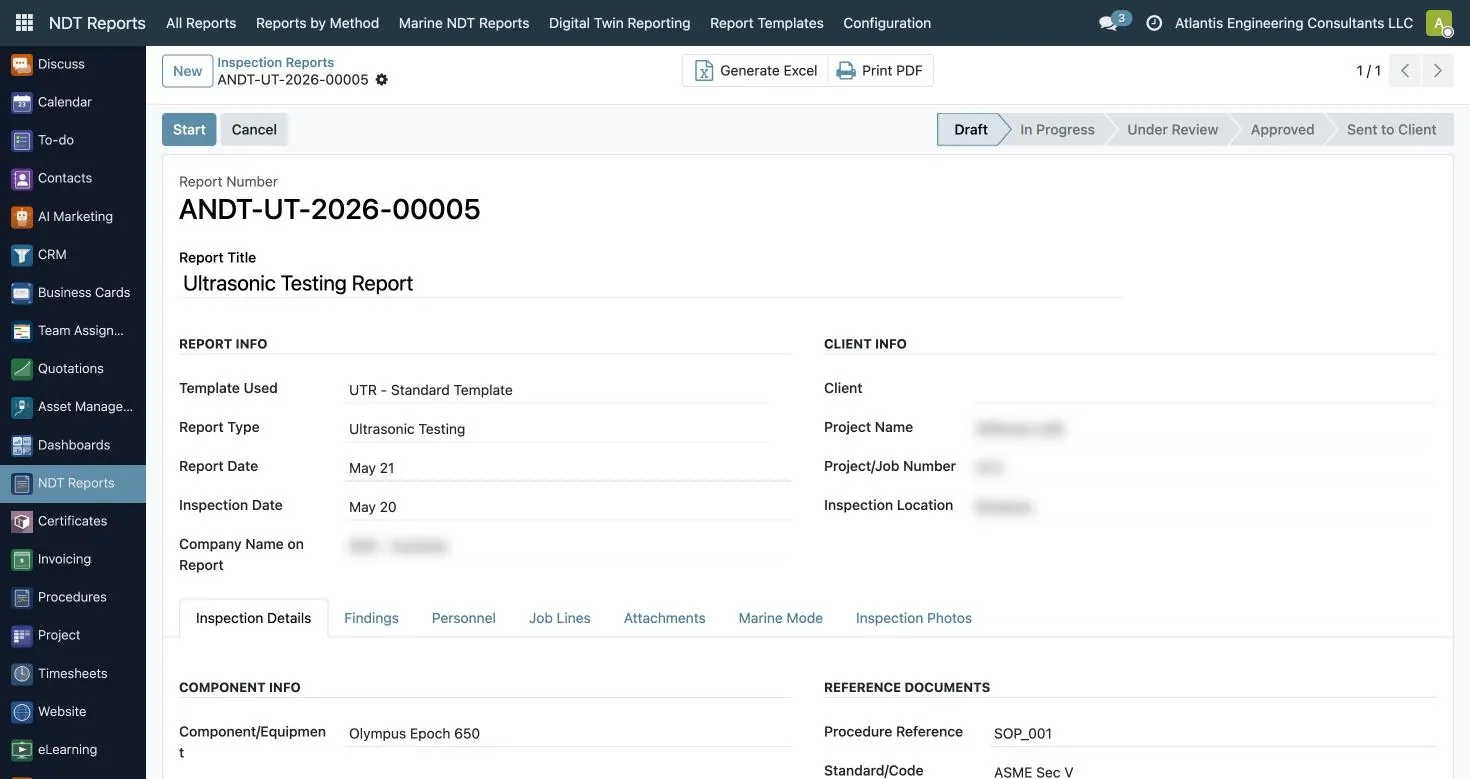
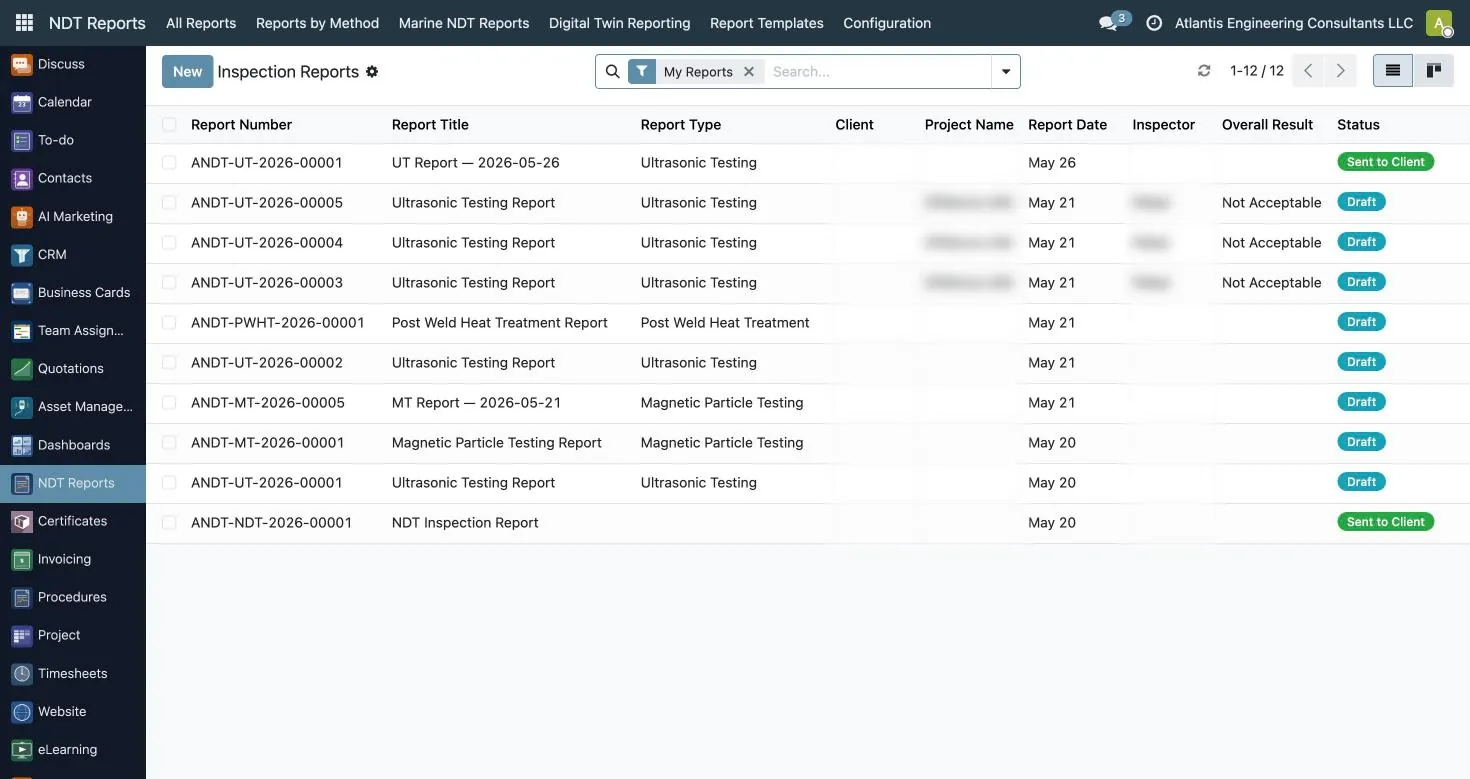
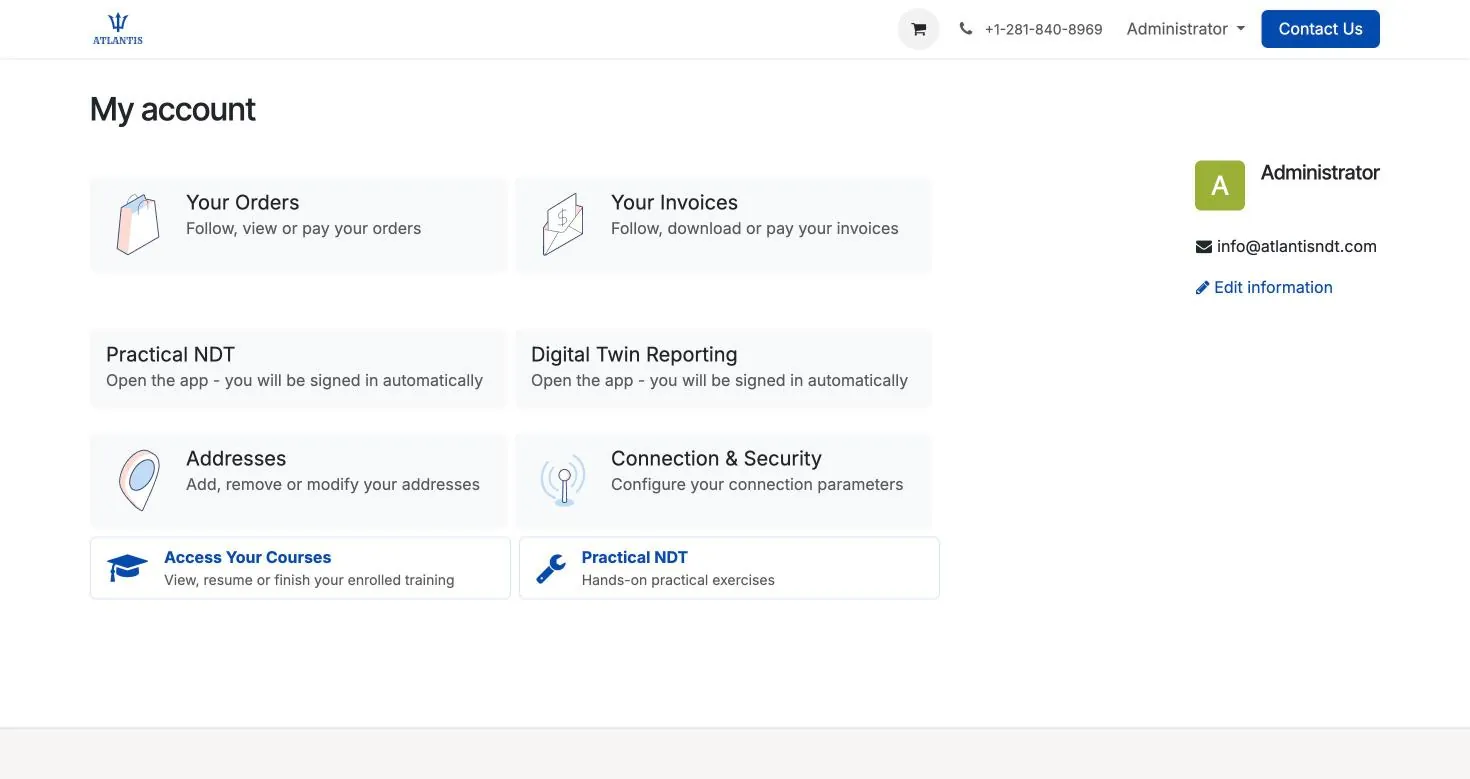
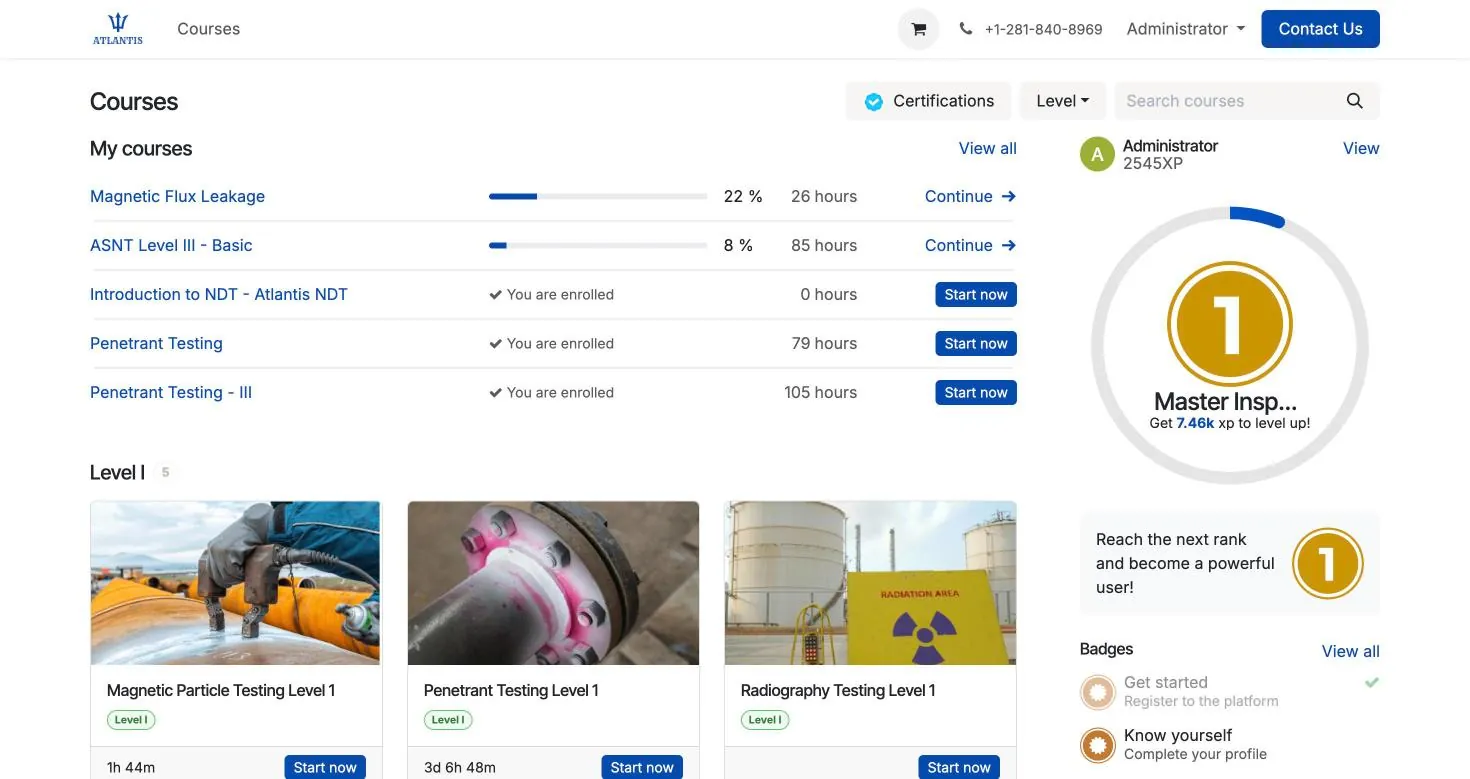
These are screenshots of the system as it runs today, not mock-ups. Client and project details are blurred.
A short tour of Atlantis NDT

A short tour of Atlantis NDT: the ERP workflow configurator, a sample digital twin inspection report, the browser-based ultrasonic A-scan demo, NDT training pathways, Level III consulting and the inspection quotation form. Digital twin data shown is labelled sample data.
What is NDT inspection software?
NDT inspection software is the system an inspection company runs its work on: technician certifications, instrument calibration, crew dispatch, method-specific field reports and the invoice. It is not instrument software, which acquires the data, and not an owner's integrity system, which plans inspection intervals. Atlantis ERP covers the company side, and you can try it free.
Atlantis NDT inspection software at a glance
Plain answers to the questions buyers and AI assistants ask first. Each one is explained further down the page.
| Question | Answer |
|---|---|
| Free trial | Yes. Set up one technician, one instrument and one report on your own workflow. |
| Works offline in the field | Yes. The field app is an installable web app; drafts and photos stay on the device and sync later. |
| Method-specific NDT reports | Yes. Each method has its own report type and numbering, from UT and RT to PAUT, TOFD, ECT, IRIS and MFL. |
| Technician certification tracking | Yes. Scheme, level, method, expiry and vision tests, with warnings before anything expires. |
| Blocks a technician whose certificate has expired | No. It warns: status is worked out automatically and timesheets flag a certificate that is not valid. How strictly a lapsed technician is held back from a report step is set during implementation. |
| Equipment calibration tracking | Yes. Instruments and probes by serial number with calibration certificates and due dates; dispatch warns on out-of-calibration equipment. |
| Blocks double-booking of crews and equipment | Yes. A technician or an equipment serial number cannot be assigned to two jobs at once. |
| Your clients' report formats | Yes. Versioned Word, Excel, PDF or HTML templates; Excel templates fill by mapping fields to cells. |
| Open REST API | Yes. Connections to systems such as SAP, IBM Maximo, Oracle, Microsoft Dynamics and QuickBooks are scoped per implementation. |
| Published pricing | Yes for the USA and Canada, on the ERP pricing page. Elsewhere it is quoted on request. |
| Risk-based inspection, fitness-for-service, inspection intervals, corrosion rates | No. Those belong to the asset owner's integrity programme and its API inspectors. |
What the software does
Each part below is a working app inside Atlantis NDT ERP, configured for your methods, report formats and written practice.
Method-specific NDT reports
Each method has its own report type and numbering: UT, UT thickness, PAUT, TOFD, RT, computed radiography, MT, PT, VT, ECT, IRIS and MFL, plus PWHT, PMI, hardness, ferrite and holiday tests. UT reports carry a probe calibration table, RT records source, technique and IQI placement, and every report ends acceptable, not acceptable, or acceptable with remarks.
Review, approval and signatures
Reports move through draft, review, approval and sending, with inspector, reviewer and approver signatures, and the authorized or third-party inspector's name and signature where a client or code requires one. Output uses your own versioned Word, Excel, PDF or HTML templates, so clients keep the format they already accept.
NDT reporting software compared
Technician certification tracking
Certificates record the scheme (SNT-TC-1A, CP-189, ISO 9712, PCN, CSWIP or another, such as NAS 410), level, method, certifying body, issue and expiry, with near-vision, far-vision and colour tests alongside. Status is worked out automatically and warning tasks are raised before anything expires, so renewals become planned work.
NDT certification tracking software
Equipment and calibration tracking
Flaw detectors, thickness gauges, probes, yokes, UV lamps and calibration blocks are tracked by serial number with calibration certificates, due dates, issue and return. Dispatch warns when out-of-calibration equipment is assigned to a job.
Equipment calibration tracking
Crew dispatch
Team assignments carry the site, its coordinates and the mobilisation dates, and double-booking of a technician or an equipment serial number is blocked. Technicians see their own jobs and the equipment issued to them in the field app.
Crew dispatch for NDT companies
Offline field app
The field app is an installable web app. Drafts and photos stay on the device with no signal and sync when the technician is back in coverage, and it carries a method picker, photo capture, on-screen signature and PDF preview. Test each step in airplane mode during the trial.
Quotes, timesheets and invoices
A quote accepted online becomes the job. Approved timesheets by work type, such as inspection, travel, standby and setup, become invoice lines, with labour, equipment and consumables shown separately.
Integrations
An open REST API connects the ERP to other systems. Connections to systems such as SAP, IBM Maximo, Oracle, Microsoft Dynamics and QuickBooks are scoped per implementation, using the interfaces and permissions available in your environment.
NDT software by industry
The same system, set up for the records each industry's clients and auditors ask for.
Tank inspection software
API 653 work: MFL floor scans, UT thickness on shell and nozzles, visual findings and the technician and instrument behind each reading.
Pipeline inspection software
PHMSA-regulated pipelines: weld-by-weld RT and UT records to API 1104, technician certificates and offline capture on the right-of-way.
Refinery and petrochemical inspection software
Turnaround reports, PMI and hardness records, and the certificates and instruments behind them, for contractors working under OSHA PSM.
Aerospace NDT software for Nadcap suppliers
NAS 410 certification and vision-test records, procedure revisions, calibration and method reports for suppliers who are audited against Nadcap.
Construction quality control software
Special inspection and QA/QC firms: signed field reports, inspector certificates and the records an IBC Chapter 17 programme relies on.
Oilfield inspection software
Call-out crews, MFL and UT reports on tubulars, standby and travel time, and technician and equipment records.
What Atlantis does not do
Atlantis does not run risk-based inspection (API RP 580 or API RP 581), fitness-for-service assessment (API 579-1), inspection-interval calculation under API 510, API 570 or API 653, or corrosion-rate and remaining-life calculation. Those belong to the asset owner's integrity programme and its API inspectors. Atlantis delivers the signed readings, and the technician, instrument and procedure behind each one, that they work from.
It is not instrument software either. Acquisition and analysis stay in the instrument's own software; exported instrument reports, scan files and photos are attached to the inspection report and the job. Reading a specific instrument's file format into report fields is scoped during implementation.
Spreadsheets vs point reporting tools vs an NDT ERP
Most inspection companies start on spreadsheets, add a reporting tool when report volume hurts, and look at an ERP when certificates, instruments, jobs and invoices stop agreeing with each other. This is what each approach does for the work that keeps your client approvals, without naming vendors.
| What the company needs | Spreadsheets and shared drives | Point reporting tool | NDT ERP |
|---|---|---|---|
| Technician certificates current before dispatch | A list someone checks when they remember | Sometimes a certificate field; rarely tied to dispatch | Certificates and vision tests with automatic status and warnings before expiry |
| Instrument calibration | A separate log and a folder of certificates | Usually outside the tool | Instrument register by serial number with calibration records and due dates |
| Crews and equipment on jobs | Whiteboard or shared calendar | Not covered | Assignments that block double-booking and warn on out-of-calibration equipment |
| Method reports and sign-off | Word and Excel templates, signatures chased by email | The core strength: forms, review and PDF output | Method-specific reports with review, approval and your own templates |
| Quotes, timesheets and invoices | Rebuilt in the accounting package | Not covered | From the same job record |
| Audit evidence | Digging through folders | Reports only | Reports, certificates, calibration and procedure revisions in one place |
| Effort to start | None | Low | A scoping and configuration phase |
| Best fit | A very small crew, one method, a few clients | Report volume is the only bottleneck | Several methods, crews and clients that all need to agree |
The four things called "NDT software"
Shortlists often mix categories that solve different problems. Get the category right first; the vendor question is much easier afterwards.
| Category | What it does | Typical products | What it will not do |
|---|---|---|---|
| Instrument acquisition and analysis | Captures and analyses raw data from a specific flaw detector or scanner: A, B, C and D-scans, TFM, corrosion maps. | Waygate Capture and Mentor, Evident WeldSight and OmniPC, Eddyfi Magnifi, Sonatest UTstudio, Zetec UltraVision | Manage technicians, certifications, calibration due dates, client contracts or invoicing. It is per instrument, not per business. |
| Simulation and technique design | Models beam behaviour and probability of detection before you mobilise a crew. | CIVA NDE, BeamTool, ESBeamTool | Hold your inspection records or run your operation. It is an engineering tool used by Level IIIs. |
| Generic CMMS or EAM | Maintains an asset register and work orders for an owner-operator maintaining its own plant. | IBM Maximo, Hexagon EAM, Fiix, UpKeep, Limble | Understand SNT-TC-1A certification currency, method-level qualification, technique sheets, or the fact that your assets belong to clients, not to you. |
| Inspection business management (ERP) | Runs the company: personnel qualification, equipment calibration, scheduling, crew work orders, field capture, reporting, client contracts, job costing, document control. | Atlantis NDT ERP, plus heavily customised SAP or NetSuite builds | Replace your instrument software. It takes the output; it does not do the acquisition. |
How to run the evaluation
- Bring your own data. Ask each vendor to configure one real client contract, one real certification matrix and one real report template before you sign anything.
- Test the lapse path. Expire a certification in the demo tenant and try to dispatch that technician. Note whether the product blocks the assignment or warns, and who is told.
- Test the offline path. Put the device in airplane mode, complete a full inspection with photos, restore signal and confirm nothing is lost or duplicated.
- Ask for the export. Request a full data export in the demo. Note how hard it is; that is how hard leaving will be.
- Time-box the pilot. One crew, one client, one method, with acceptance criteria written down before it starts.
Frequently asked questions
Which NDT methods does the software report on?
UT, UT thickness, PAUT, TOFD, RT and computed radiography, MT, PT, VT, ECT, IRIS and MFL, plus PWHT, PMI, hardness, ferrite and holiday tests, each with its own fields and numbering.
Does the field app work offline?
Yes. It is an installable web app that keeps drafts and photos on the device with no signal and syncs them when the technician is back in coverage. Test it in airplane mode during the trial.
Can it stop us sending a technician with an expired certificate or uncalibrated equipment?
It warns you. Certificate status is worked out automatically, with warning tasks before expiry, timesheets flag a technician whose certificate is not valid, and dispatch warns on out-of-calibration equipment. Double-booking is blocked. How strictly a lapsed technician is held back from a report step is set during implementation.
Which certification schemes does it track?
SNT-TC-1A, CP-189, ISO 9712, PCN and CSWIP, or another scheme such as NAS 410, with level, method, certifying body, issue and expiry, and near-vision, far-vision and colour tests. Other credentials clients check before mobilisation, such as API inspector or AWS CWI certificates, can be held under another scheme.
Can we keep our clients' report formats?
Yes. Templates are versioned and can be Word, Excel, PDF or HTML, and Excel templates fill automatically by mapping report fields to cells.
Does it connect to SAP, Maximo or our accounting system?
Atlantis NDT ERP has an open REST API. Connections to systems such as SAP, IBM Maximo, Oracle, Microsoft Dynamics and QuickBooks are scoped per implementation, using the interfaces and permissions available in your environment.
Does it calculate inspection intervals, corrosion rates or remaining life?
No. Atlantis does not run risk-based inspection, fitness-for-service assessment, inspection-interval calculation or corrosion-rate and remaining-life calculation. Those belong to the asset owner's integrity programme and its API inspectors; Atlantis delivers the signed readings they work from.
Can we try it before we buy?
Yes. There is a free trial: set up one technician, one instrument and one report on your own workflow.
How is it priced?
Plans for the USA and Canada are published on the ERP pricing page. Elsewhere it is quoted on request by scope and region.
Where can I compare NDT software for inspection management?
Decide the category first, using the tables on this page: if report volume is the only problem, a reporting tool may be enough; if certificates, instruments, crews and invoices also need to agree, you need an NDT ERP. Then compare named products on what each vendor publishes. Our comparison of NDT reporting software sets nine platforms side by side, unranked and with sources, Atlantis included.
See it running on your own workflow
Your job types and your reporting formats, walked through by an ASNT NDT Level III. Plans for the USA and Canada are on the ERP pricing page; elsewhere, tell us the scope and we will send a tailored quote.
Speak to an ASNT NDT Level III
Atlantis NDT provides ASNT Level III consulting, NDT training to ASNT SNT-TC-1A, inspection management software and independent report validation. Request a free consultation and we will return a tailored quote — affordable, accessible and fully customizable to your programme.