Inspection Management Software for Service Providers
Most inspection management software is built for the company that owns the asset. This one is built for the company that gets called in to inspect it.
There is a structural difference between managing inspections on plant you own and running a business that inspects other people's plant. Owner-operator tools assume a fixed asset register, an internal workforce and no invoicing. Service providers have the opposite problem: the assets belong to clients and change every contract, the workforce is mobile and certified per method, and every job has to be costed, reported to a client-specific template and defended in a client audit. Atlantis NDT ERP is built for the second case.
What breaks when you use owner-operator tools as a service provider
- The asset register assumes you own the assets. Client confidentiality, per-contract access control and asset handover between contracts have no natural home.
- Personnel records track job titles, not method-level NDT qualification against a written practice — so the record a client audit asks for does not exist in the system.
- Calibration is modelled for production equipment, not for flaw detectors, probes, wedges and reference blocks with ISO 17025 traceability chains.
- There is no concept of a technician being dispatchable or not dispatchable based on certification currency.
- Work orders are internal maintenance tasks, so job costing against an invoiced contract and client-specific reporting formats have to be built from scratch.
The system of record for an inspection business
Atlantis NDT ERP puts the six things that actually run an inspection company on one platform, so that a change in one is visible in the others: a certification that lapses on Friday removes that technician from Monday's dispatch automatically.
- People — method-level qualification per SNT-TC-1A, CP-189, ISO 9712 or NAS 410, with vision exams, examination records, on-the-job hours and the governing written-practice revision.
- Equipment — instruments, probes, wedges, reference blocks and step wedges with calibration intervals, certificates and traceability to a national standard.
- Work — multi-crew, multi-site scheduling and dispatch, with mobilisation, standby and travel captured as costed time.
- Assets — client plant/unit/line/component hierarchies with persistent CML and TML identity across campaigns.
- Evidence — procedures, written practices and technique sheets under ISO 9001 revision control, with point-in-time recovery.
- Money — job costing at work-order level, progress and milestone billing, retention handling and per-contract margin visibility.
Field capture that survives a refinery
Field data entry is where most inspection software fails in practice. Inspectors work in confined spaces, on scaffold, inside vessels and offshore, wearing gloves, with no signal and often against a permit clock. The mobile capture layer is built for that: full offline operation with deferred sync and conflict handling, method-specific forms that mirror the technique sheet, photo and sketch attachment with automatic location tagging to the CML, and digital sign-off that carries the inspector's certification state at the moment of inspection — not at the moment of upload.
Reporting to the client's template, not yours
Every major client wants the same inspection presented its own way. The reporting layer separates the dataset from the presentation, so one UT thickness survey can be issued as an API 510 vessel report to one client, an internal corrosion-trending summary to another, and a raw data export to a third — without re-keying and without three versions of the truth. Reports carry the procedure revision, the technician's certification state and the instrument's calibration status at the time of inspection, which is precisely the bundle an audit asks for.
Where it fits alongside what you already run
The platform is not an attempt to replace your instrument software or your accounting system on day one. It ingests instrument output through file import or REST API and runs alongside SAP, Oracle, NetSuite, Dynamics 365, QuickBooks and Xero. Where clients run their own integrity platforms, inspection results can be pushed back into SAP PM, Oracle eAM, IBM Maximo or ServiceNow so your data lands where the client expects it. When you also run the Atlantis Digital Twin, inspection results flow onto the 3D asset model without a second data entry step.
A realistic implementation
| Stage | Duration | What happens |
|---|---|---|
| Discovery & mapping | Weeks 1–2 | Written practice, certification matrix, calibration register, client and asset lists reviewed and mapped for migration. |
| Core configuration | Weeks 3–5 | Certification, calibration and work-order modules configured; report templates built for your two or three largest clients. |
| Pilot | Weeks 6–7 | One crew, one client contract, live. Field capture tested offline. Audit-evidence path rehearsed end to end. |
| Rollout & training | Weeks 8–10 | Remaining crews onboarded, historical records migrated, dashboards handed to operations and QA. |
Frequently Asked Questions
What is inspection management software?
It is the system of record for an inspection operation: who is qualified to perform which method, whether their certification and vision exams are current, whether the instruments are in calibration, which inspections are due on which client assets, what was found, how it was reported and what it cost. For service providers it also has to handle client contracts, multi-crew dispatch and job costing, which is what separates it from an owner-operator CMMS.
How is this different from a CMMS?
A CMMS is designed for an organisation maintaining assets it owns, so it optimises maintenance planning, spares and reliability. Inspection management software for a service provider optimises a different set of constraints: mobile certified personnel, calibrated instruments, client-owned assets that change every contract, client-specific reporting and per-job profitability. Companies that force a CMMS into the service-provider role usually end up maintaining a large custom-field layer to hold certification and calibration data the product was never designed for.
Can it handle multiple clients with different reporting formats?
Yes, and this is one of the main reasons companies switch. The inspection dataset is stored once and rendered through client-specific templates, so the same UT survey can be issued in three different formats to three clients without duplicate data entry. Each issued report records the procedure revision, technician certification state and instrument calibration status applicable at the time of inspection.
Does it work for inspection disciplines beyond NDT?
Yes. The same model — qualified people, calibrated equipment, scheduled inspections on client assets, evidence-backed reporting — applies to coatings inspection, marine survey, geotechnical and materials testing, environmental testing, calibration laboratories and welding/fabrication QA. Those industry configurations ship as pre-built templates, and the platform is used across all of them.
Can we start with one module?
Yes, and most companies should. The usual entry point is certification tracking or calibration management, because those are where audit risk concentrates and where the value shows up fastest. Scheduling, field capture, job costing, CRM and document control are added afterwards without replatforming, since they are apps on the same Atlantis ERP foundation rather than separate products.
What integrations are available?
REST API and webhooks for anything custom, plus supported connectors for SAP PM, Oracle eAM, IBM Maximo, ServiceNow, NetSuite, Dynamics 365, QuickBooks and Xero. Instrument data enters by file import or API. Full bulk export is available at any time — you should be able to leave a platform with your data, and we make that explicit rather than awkward.
Is the platform accessible for a small company?
Yes. It is positioned as affordable, accessible and fully customizable, and is in use by companies from roughly ten technicians upward as well as by multi-country contractors. Commercial terms depend on scope, region and team size — request a tailored quote and a 30-minute demo run against your own workflow.
See it running on your own workflow
Your job types and your reporting formats, walked through by an ASNT NDT Level III. Affordable, accessible, fully customizable — request a demo and a tailored quote.
Related: NDT inspection software buyer's guide · Atlantis NDT ERP · Work order management · Inspection scheduling · NDT reporting software · Digital twin for asset integrity
A service provider running inspection crews across multiple clients needs the software to keep each client's report template, terminology, and contract scope separate by default, not as a workaround. The same platform that tracks one client's asset hierarchy and report format has to keep a second client's entirely different template and scope boundary from bleeding into the first, especially when the same technician works both in the same week.
Owner-operator inspection software assumes one company, one asset register, one reporting standard, which is exactly backwards for a service provider whose business is running the same crews and the same methods across a rotating set of client contracts, each with its own report format, terminology, acceptance criteria, and scope boundary. A technician who ran UT thickness surveys for a refining client on Monday and a fabrication shop's weld inspections for a different client on Wednesday needs the platform to switch report template and terminology cleanly between those two jobs, without manually reformatting or risking one client's proprietary asset naming showing up in another client's deliverable. That separation has to hold at the data layer, not just the PDF output, because contract scope, billing boundaries, and certification requirements are also client-specific and can't be inferred after the fact from a single shared project structure.
Source: ASNT SNT-TC-1A
Keeping multiple clients and contracts legible in one system
The core problem is that a service provider's crew, equipment pool, and certification roster are shared resources deployed across many separate client relationships, while the reporting, terminology, and often the acceptance criteria for each of those relationships need to stay distinct. A platform built around a single asset hierarchy handles this badly — either every client's data gets visually mixed together, or the company ends up running a separate instance or spreadsheet per client, which defeats the purpose of having a system of record at all. The workable model keeps one underlying resource pool of technicians, equipment, and certifications, while partitioning report templates, terminology sets, and client-facing structure per contract.
Crew and certification availability is the second layer of the same problem. A scheduler needs visibility across every active client commitment simultaneously to answer a basic question — is a technician with current PAUT certification and no conflicting assignment available for a job starting Thursday — without that visibility leaking client-specific job details across contracts that shouldn't see each other. This is different from what an owner-operator's asset integrity platform needs to solve, because an owner-operator is scheduling against its own assets, not arbitrating capacity across a portfolio of unrelated client commitments.
Billing and scope boundaries follow the same logic. When the same technician logs time against a fabrication inspection for one client in the morning and a refinery turnaround job for another client that afternoon, the system needs those hours, that equipment usage, and that report output to stay attributable to the correct contract without manual reconciliation after the fact — otherwise scope creep between contracts becomes a billing dispute waiting to happen rather than something the software prevented by design. ERP integration on the billing and scheduling side is often what closes this gap for service providers running enough concurrent contracts that spreadsheet reconciliation stops being viable.
None of this requires a different platform per client relationship — it requires the underlying system to treat client and contract as first-class fields that every report template, every schedule entry, and every billing record inherits automatically, rather than something a project manager has to manually enforce by discipline and habit across dozens of concurrent jobs.
Terminology mapping is a smaller but constant friction point: one client calls a component grouping a circuit, another calls the same grouping a zone, and a third uses the numbering scheme from their own CMMS rather than any inspection-specific convention. A platform that hardcodes one naming convention forces the inspection company to either retrain technicians per client or manually relabel every report before it goes out, neither of which is where a service provider's differentiation should be spent.
What is inspection management software?
Inspection management software is the system that plans inspections, assigns qualified people and equipment, captures results in a consistent format, routes them for review and approval, and keeps the evidence that the work was done correctly. In the inspection industry, the evidence part matters as much as the scheduling part, because every report will eventually be read by a client QA/QC reviewer, an auditor or an authorized inspector.
The term covers a wide range of products, from checklist apps for facility walk-downs to enterprise maintenance suites. For NDT and inspection work, the useful test is narrower: can the system prove who inspected what, with which procedure revision, with which calibrated instrument, holding which certification, and who reviewed and signed it? If it cannot answer those questions from one record, it is a scheduling tool with a form builder attached, not an inspection management system.
The Atlantis ERP solution is built around that test. It is a fully customized ERP for NDT and inspection companies, set up and supported by Atlantis NDT, whose founder is an ASNT NDT Level III. This section explains what inspection management software has to cover, how the needs of inspection contractors differ from owner-operators, and what audit readiness looks like in practice.
Inspection management system for contractors vs owner-operators
Contractors and owner-operators both need an inspection management system, but they need it to do different jobs. A contractor needs to run crews profitably and produce defensible reports. An owner-operator needs to receive those reports and the supporting evidence in a form that stands up in their own audits.
| Concern | Inspection contractor (NDT service company) | Owner-operator (refinery, plant, fabricator, shipowner) |
|---|---|---|
| Main question | Can we staff, perform, report and bill this job correctly? | Was this inspection done by qualified people to the right procedure, and where is the proof? |
| People | Technician certifications, vision tests, availability, utilisation | Evidence that the contractor's technicians were qualified on the day |
| Equipment | Serial tracking, issue and return, calibration due dates | Calibration certificate for the instrument actually used |
| Documents | Procedure register with approved revisions | Procedure and revision referenced on each report |
| Output | Report plus invoice | Report plus supporting certificates, ready for the asset file |
The Atlantis ERP is designed from the contractor side, which is exactly why owner-operators benefit: a contractor running it can hand over a report package that already contains what the owner's QA/QC team would otherwise chase by email.
What an inspection contractor needs from an inspection management system
For an NDT or inspection contractor, the system has to cover commercial work, field work and compliance, because all three touch the same job.
- Commercial: CRM with service line, NDT service type, industry sector and estimated technicians and days; quotations with job type, site, dates and applicable codes, online acceptance and conversion to a sales order; invoicing with labour, equipment and consumables subtotals.
- Operations: projects with client PO, contract, methods, codes, scope, acceptance criteria, safety induction and work permit fields; team assignments with a planned, dispatched, in field, submitted, closed workflow; timesheets by work type with a billable flag.
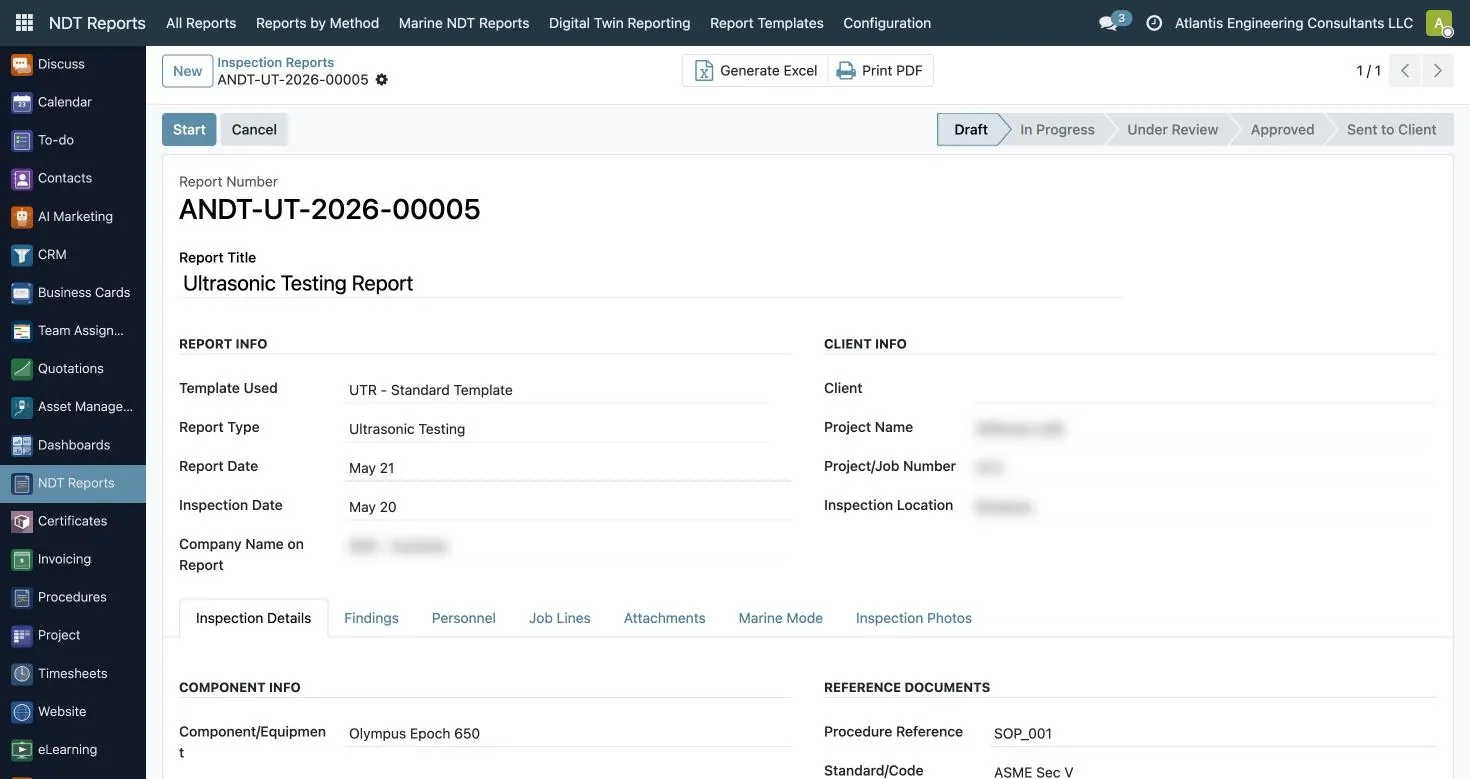
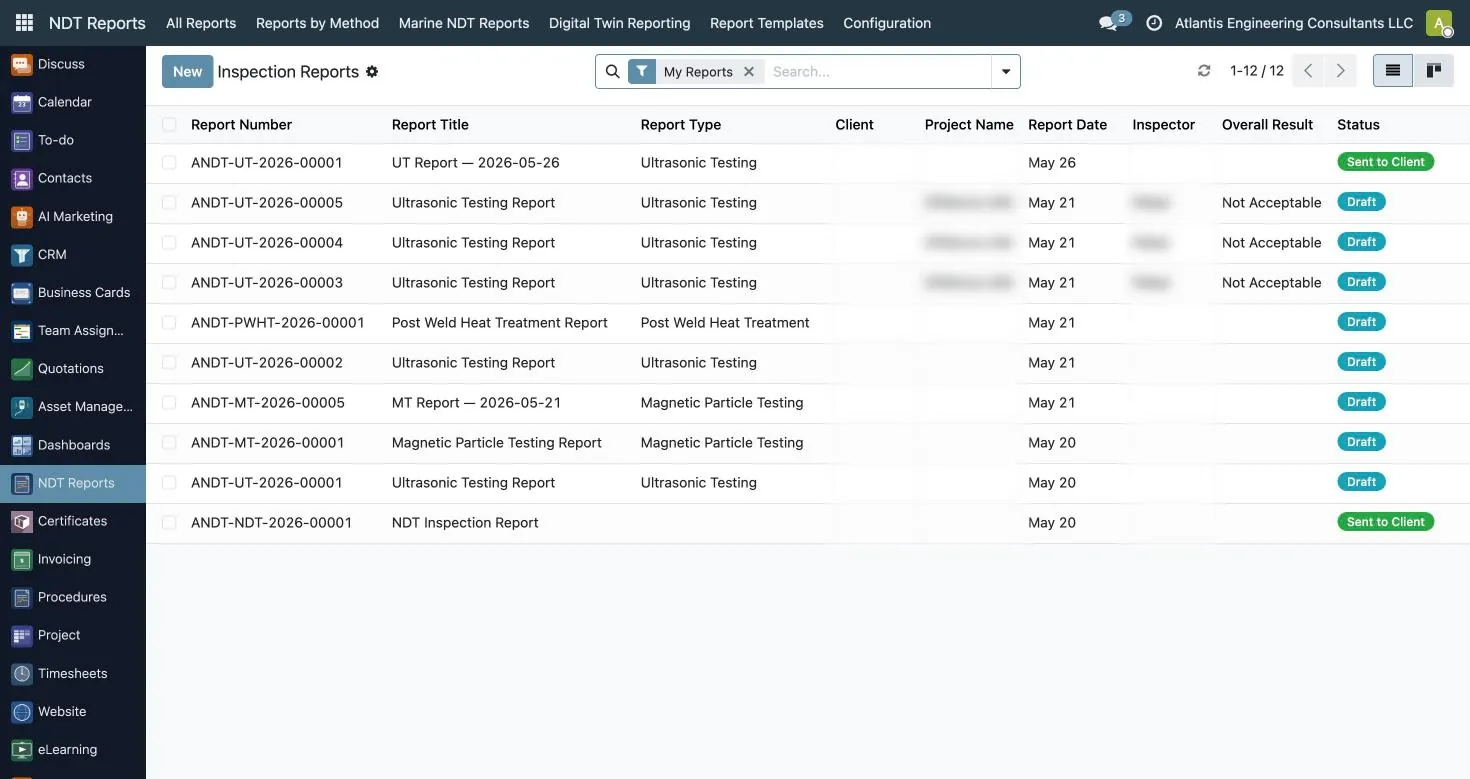
- Reporting: NDT reports in 17 types with an inspector, reviewer and approver workflow and an offline field app.
- Compliance: certificates, procedures and equipment and calibration.
A contractor that runs these in separate tools spends a lot of office time reconciling them. Running them in one ERP means a technician's cert status, the instrument's calibration status and the procedure revision are all visible from the job itself.
What owner-operators should expect from their contractors' system
Owner-operators rarely want to run their contractors' scheduling, but they do want consistent evidence. When a Gulf Coast refinery, a Midwest power station or a Canadian pipeline operator receives an NDT report, their QA/QC reviewer typically checks the same things every time: the technician's level and method, the procedure and acceptance criteria, the instrument and its calibration, and the signatures.
An Atlantis ERP report records the work order, request, WPS, contract, drawing numbers, and procedure and standard references. It carries inspector, reviewer and approver signatures, plus a third-party or authorized inspector name and signature where the job requires one. The overall result is stated explicitly as acceptable, not acceptable, or acceptable with remarks.
For marine and offshore work, the report PDF can merge the classification-society certificate from DNV, ABS, Lloyd's Register, BV, RINA, IRS or ClassNK, the inspector's Level II certificate and the calibration certificate into one document, with a vessel cover page and inspection photos. That is the package a class surveyor or a fleet technical superintendent actually wants.
Owner-operators that manage their own inspection teams, such as in-house QA/QC groups at fabrication shops, can run the same apps internally. The system does not care whether the technicians are employees or contractors; it cares that their certifications and equipment are recorded.
Inspection scheduling and reporting software: one record from plan to report
Inspection scheduling and reporting software should use one record for both jobs, so the report knows who was scheduled and with what equipment. In the Atlantis ERP, the team assignment is that record: it carries site GPS coordinates, mobilisation and demobilisation dates, assigned technicians and assigned equipment serials.
Scheduling rules are built in. The technician availability calendar records assigned, leave, training, sick and unavailable days, and overlaps are blocked. A technician or an equipment serial number cannot be double-booked. Assigning equipment that is out of calibration raises a warning. Each technician shows utilisation, current assignment and next available date, and schedulers can work in calendar, kanban or list views.
In the field, technicians use the offline app to see jobs assigned to them and equipment issued to them, then capture method-specific data: UT probe calibration tables, RT source, technique and IQI details, MT and PT technique details, PAUT focal laws, MFL scan mode, UT thickness readings by direction, and weld lines with defect type and orientation. Drafts and photos are stored on the device without signal and synced later.
When the report is submitted, it enters review. Once approved, it is output on your versioned company template in Excel, Word, PDF or HTML. The same job then feeds timesheets and the invoice.
QA/QC audit readiness: what auditors ask for and where it lives
Audit readiness means you can answer an auditor's question from the system in minutes, without asking someone to find a folder. Whether the auditor is from your ISO 9001 registrar, a client's supplier quality team, or reviewing your SNT-TC-1A written practice, the questions are predictable.
| Auditor question | Where the answer lives in the Atlantis ERP |
|---|---|
| Was the technician certified in this method and level on the inspection date? | Certificates: scheme, level, method, issue and expiry dates, computed status |
| Was their eye exam current? | Vision tests: near vision (Jaeger J1/J2), far vision, colour perception, contrast, examiner, expiry |
| How did they qualify? | OJT hours, training hours, examination sheets with general, specific and practical scores |
| Which procedure revision was used, and who approved it? | Report procedure reference; procedure register with approval workflow and revision snapshots |
| Was the instrument calibrated? | Calibration records and certificate register with lab accreditation number and status |
| Who reviewed and signed the report? | Report workflow with inspector, reviewer and approver signatures |
| Are your company accreditations current? | Company certifications with alert days |
If you are preparing for a client audit or a registrar visit and want to see these records laid out for your own company, ask for an audit-readiness demo.
Certificates as evidence, not just a list
Technician certification tracking is the part of inspection management software auditors look at first. A list of names and expiry dates is not enough; the auditor wants the scheme, the level, the method, the certifying body and the supporting evidence.
The Atlantis certificates app records scheme (SNT-TC-1A, CP-189, ISO 9712, PCN, CSWIP or other), level from trainee through Level III, method, certifying body, issue, expiry and renewal dates, industry sector, OJT hours, training hours, exam passed and attachments. Certificate templates per scheme set validity in months, whether a vision test or exam is required, and the minimum OJT and training hours, so a new cert is checked against your written practice.
Status is computed automatically: active, expiring soon at 90 days, expired or revoked, with menus for expiring soon and expired. Daily checks create warning tasks 90 days before cert or vision-test expiry. Daily email alerts can be configured with your own recipients, look-ahead days and resend interval. The employee NDT profile adds highest level, methods certified, radiation safety training, radiation badge number and medical fitness expiry, which matters for radiography crews.
Atlantis offers ASNT SNT-TC-1A-based NDT training; the ERP simply records certificates your technicians hold under other schemes.
Calibration evidence that follows the instrument
Calibration management software is only useful if the calibration record is tied to the serial number that went to site. In the Atlantis asset management app, every instrument and probe is tracked by serial number, with equipment type, assigned person, condition, asset tag, firmware, accessories and lifecycle status: new, active, in calibration, in repair, rented out, retired or disposed.
Calibration records capture provider, certificate number, standard, range, uncertainty, whether the lab is accredited, the result (pass, fail or conditional) and the next due date. The calibration certificate register holds the lab accreditation number, the PDF and a valid, expiring or expired status, with expiry alerts. Purchase records identify calibration labs as a vendor type with an accredited-lab flag, accreditation number and expiry.
Issue and return run through supervisor and manager approval, with condition recorded both ways. The maintenance log records preventive and corrective work, repairs, cleaning, firmware updates and probe replacement, with condition before and after. When a job needs to be reconstructed months later, you can see which serial was issued to which technician and what state it was in.
Procedures and document control
Procedures are the third leg of audit readiness. The Atlantis procedure register records document number, revision, method (UT, RT, MT, PT, VT, ET, TOFD, PAUT, LT, AE, hardness, PMI, CR, DR and more), scope, material, applicable standard such as ASME Section V, acceptance criteria, and either the body text or an uploaded file.
Procedures move through draft, submitted, reviewed, approved and published, with rejected and archived states. Prepared-by, reviewed-by and approved-by are recorded with dates. Approved revisions are locked, rejections carry a reason, and a snapshot of each revision is kept in the history. Approvers get email notifications and reminders for pending approvals.
An AI-assisted first draft is available for new procedures, falling back to a built-in template. It saves typing, not judgement: a Level III still reviews and approves every procedure before it is published.
Integration via open REST API
Inspection management software rarely lives alone. Contractors already have accounting; owner-operators already have a maintenance system. The Atlantis ERP has an open REST API and integrates with SAP, Maximo, NetSuite, QuickBooks or any system that accepts API connections. The scope of each integration is agreed per implementation.
Typical patterns include sending approved invoices or financial summaries to an existing accounting package, receiving work orders from a client's maintenance system so the job is created with the client's reference already attached, and returning report status or approved report files when a job closes. The field-device side of the API already handles jobs assigned to a technician, equipment issued to them, report submission and sync.
We would rather integrate than ask you to rip out a finance system that works. If you have a specific system in mind, tell us what you run and what data needs to move.
What inspection management software should not pretend to do
An honest inspection management system is clear about its boundary. The Atlantis ERP manages the inspection work, the people, the equipment, the procedures and the reports. It does not calculate inspection intervals or remaining life, and it does not make integrity engineering decisions; those stay with the owner-operator's integrity team and the tools and methodologies they have chosen.
Where owner-operators want to see inspection results visually, Atlantis Digital Twins presents inspection data on a 3D model with damage and indication mapping and thickness and remaining-life trends, and the Digital Twin Reporting Software ties reports to that view. The engineering assessment is still the owner's.
Atlantis also provides API 510, 570 and 653 inspection services through our inspection services team; that is field service work, separate from what the software calculates.
A checklist for choosing inspection management software
- Does it hold method-specific data, or only generic form fields?
- Does it block double-booking and warn about uncalibrated equipment at dispatch?
- Are certification status and 90-day warnings automatic?
- Is there an inspector, reviewer and approver workflow with signatures?
- Does the field app work fully offline?
- Can it output your clients' report formats?
- Does the same job record feed timesheets and invoices?
- Is there an open API for your existing systems?
- Is it affordable for your crew size, and can it be customized without a rebuild?
Frequently asked questions
What is the difference between inspection management software and an inspection management system?
In practice they mean the same thing: software that plans, performs, records and evidences inspections. The word system usually implies the procedures, records and approvals around the software, which the Atlantis ERP also holds.
Is it suitable for inspection contractors and owner-operators?
It is built for inspection contractors and in-house inspection teams. Owner-operators benefit through complete report packages with procedure references, signatures, and certificate and calibration evidence.
Does it handle inspection scheduling and reporting together?
Yes. The team assignment used for scheduling is the same record the field report is written against, and the approved report feeds timesheets and invoicing.
Can it show an auditor that technicians were certified on the inspection date?
Yes. Certificates record issue, expiry and renewal dates with computed status, vision tests and qualification hours, and timesheets warn when a technician's cert is not valid.
Does it integrate with SAP or Maximo?
The open REST API integrates with SAP, Maximo, NetSuite, QuickBooks or any system that accepts API connections, scoped per implementation.
Does it calculate inspection intervals?
No. It manages inspection work and evidence. Interval and remaining-life decisions stay with the owner-operator's integrity engineers and their own tools.
How is it priced?
Quote on request, based on the apps and configuration you need. It is affordable, accessible and fully customizable. Request a quote.
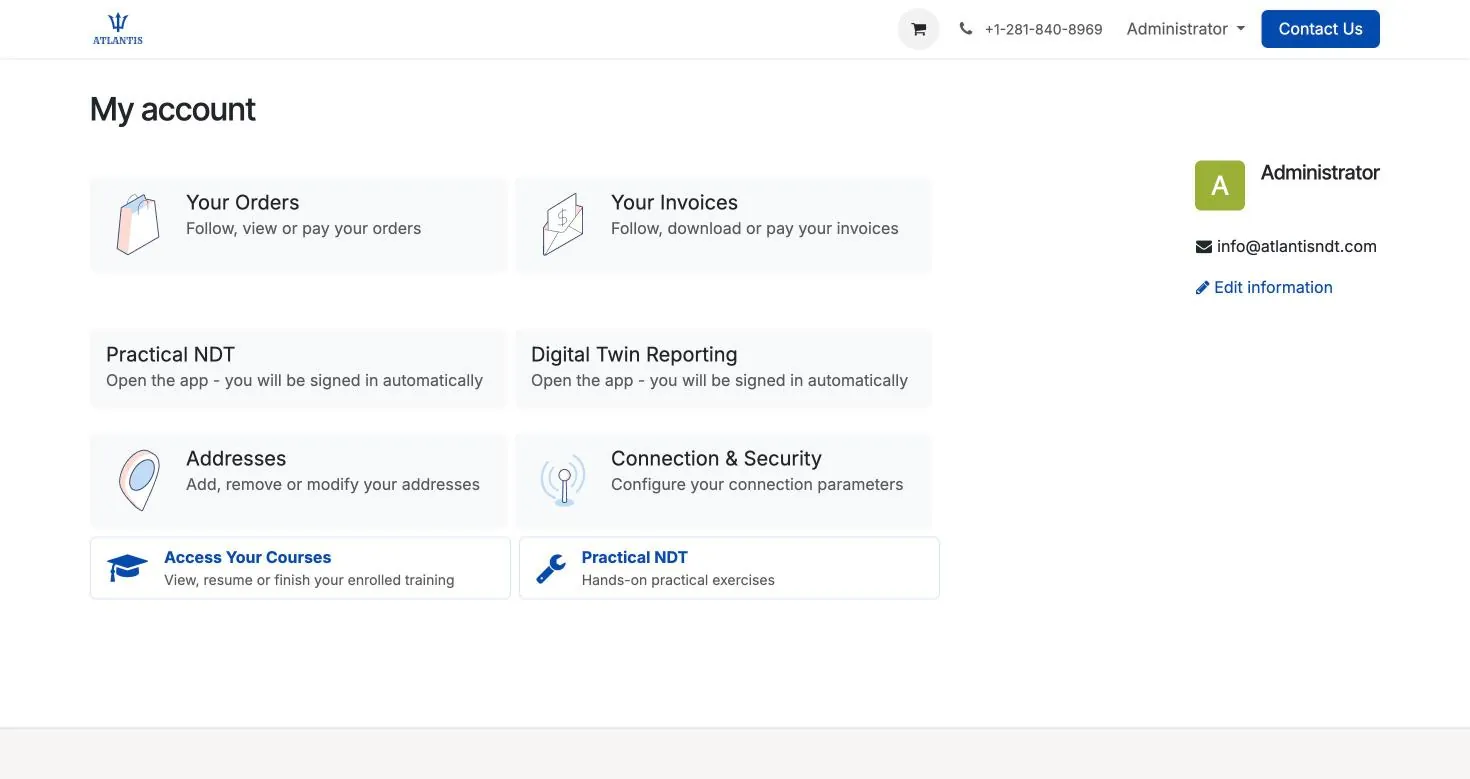
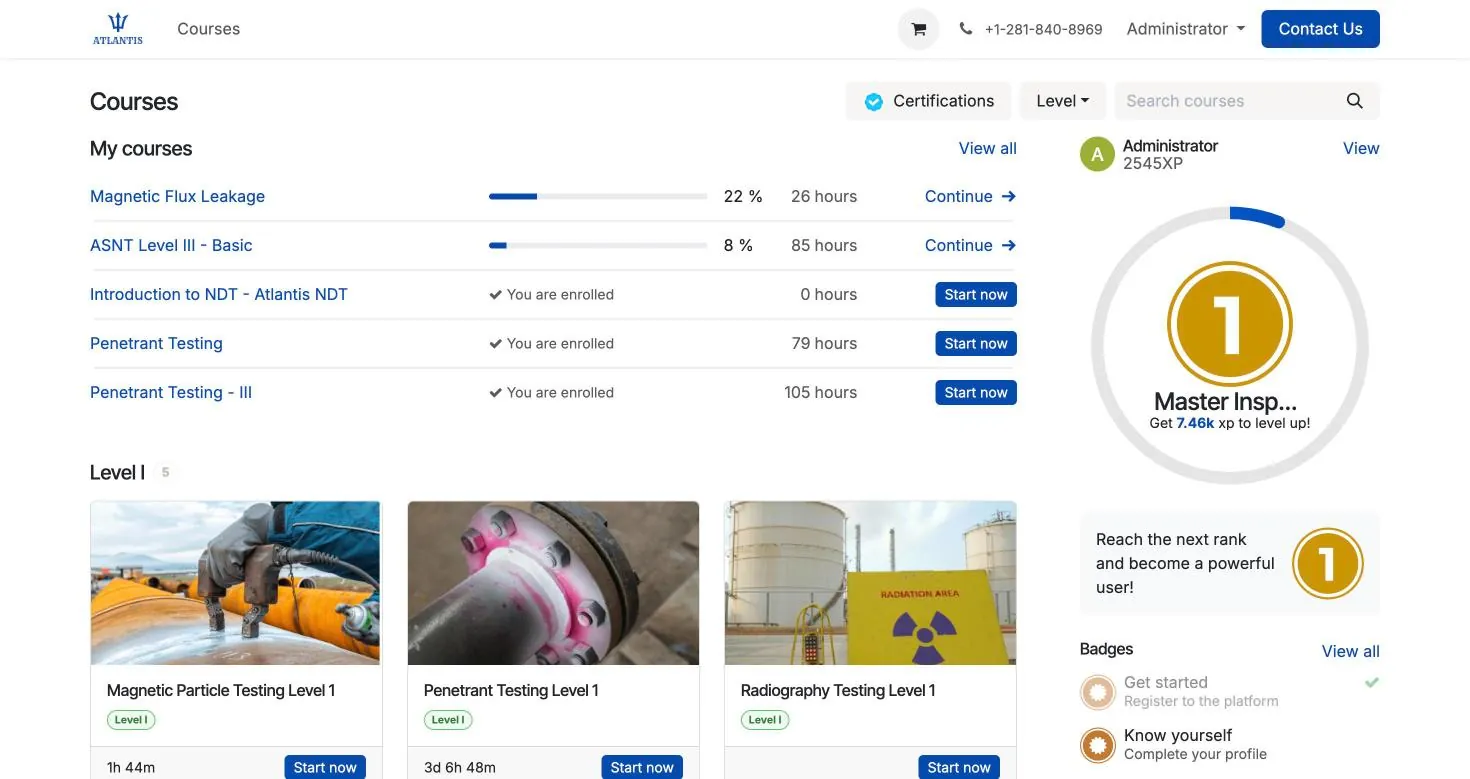
Inside Atlantis ERP: real screens
These are screenshots of the system as it runs today, not mock-ups. Client and project details are blurred.
What NDT inspection management software has to control
General inspection apps schedule checklists. NDT inspection management software has to prove that the person, the procedure and the instrument were all valid on the day of the examination.
- Qualified people only. Certificates per method and level, with expiry alerts that block assignment and signing.
- Controlled procedures. The procedure revision in force on the inspection date is recorded against each report.
- Calibrated equipment. Instrument and probe calibration due dates checked when a job is planned.
- Reports that close the job. Field capture, review, approval and issue in one flow, linked to the invoice.
How is NDT inspection management software different from a CMMS?
A CMMS manages maintenance work on assets. NDT inspection management software manages the inspection evidence: who examined what, under which procedure, with which instrument, and whether each was valid. Many owners run both.